Building Small(er) Python Container Images
Some notes on using multi-stage builds to reduce the size of Python images

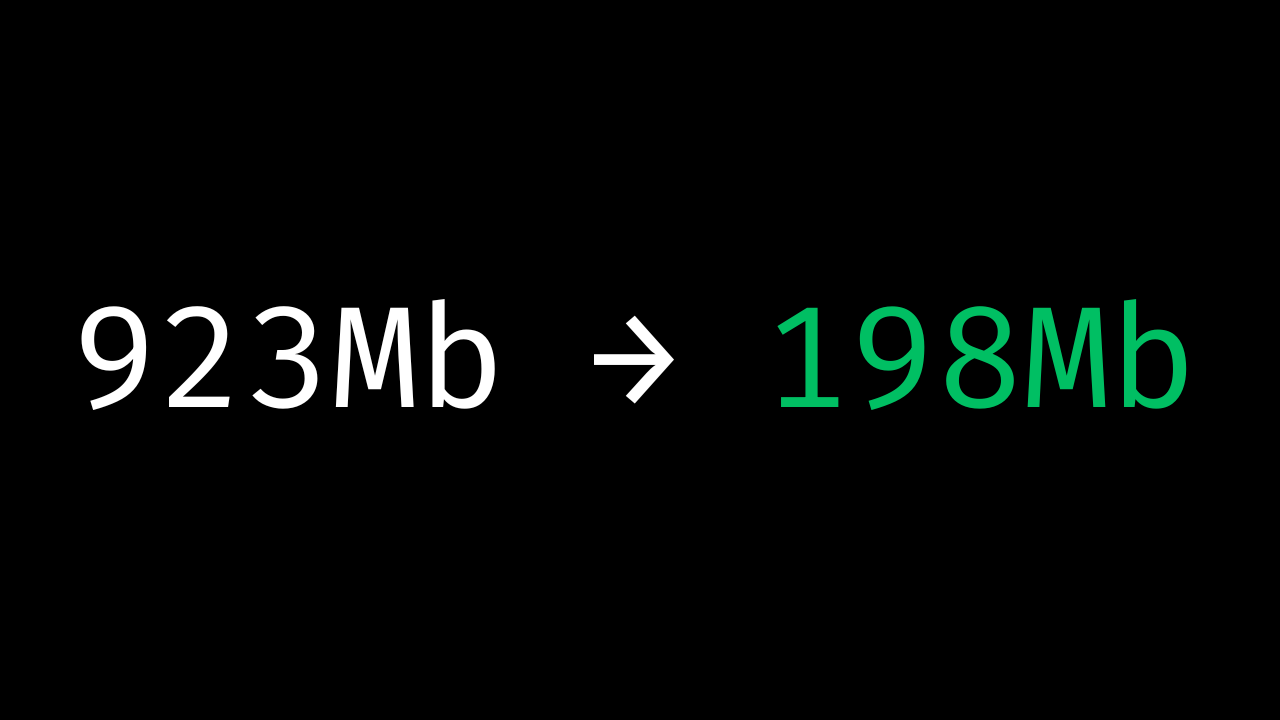
Docker's multistage build pattern is one of the most effective techniques for reducing container image size while maintaining full functionality. For Python applications, this approach becomes even more powerful when combined with virtual environments and modern dependency management tools.
The Problem with Traditional Python Dockerfiles
When building Python containers, it is easy to end up with bloated images that include:
Build tools and compilers that are only needed during installation
System packages scattered across multiple directories
Uncertainty about which files actually need to be copied to production
The result? Images that are hundreds of megabytes larger than necessary, slower to deploy, and potentially less secure due to unnecessary tools that the application does not require.
The Multistage Build Solution
Multistage builds solve this by separating concerns into distinct phases:
1. Build Stage
Start with a full-featured base image that includes all the tools needed for compilation and dependency installation. Don't worry about size here—prioritize having everything you need.
2. Install Stage
Install your dependencies and build your application. This is where virtual environments become crucial for Python apps.
3. Runtime Stage
Switch to a minimal base image and copy only what's needed to run your application.
Virtual Environments: The Secret Sauce
The biggest challenge with Python multistage builds is knowing exactly which files to copy. Python packages can scatter across multiple system directories (/usr/local/lib/python3.*/site-packages/, /usr/local/bin/, etc.), making selective copying error-prone.
Virtual environments can solve this because they are a self-contained directory structure that includes the necessary binaries and libraries. Instead of hunting down scattered files, you can copy the entire virtual environment directory in a single COPY command in your Dockerfile.
BuildKit and Cache Mounts: Speed Without Bloat
BuildKit is Docker's modern build engine that has been the default since Docker Engine 23.0. It introduces significant performance improvements and new features like cache mounts, which make builds much faster.
Cache mounts allow you to:
Persist package caches between builds (
--mount=type=cache,target=/root/.cache)Share system package caches (
--mount=type=cache,target=/var/cache/apt)Avoid re-downloading dependencies when only your source code changes
The key benefit: these caches exist during the build but don't add to your final image size.
An Example with FastAPI and UV
Here's a complete Dockerfile for a FastAPI application using uv for fast, reliable dependency management. This example assumes you've already run uv init to create your pyproject.toml and uv.lock files:
# ===============================================
# 1. BUILD STAGE - Full toolchain
# ===============================================
FROM python:3.13-slim AS build

# Install system dependencies needed for building
RUN --mount=type=cache,target=/var/cache/apt,sharing=locked \
    --mount=type=cache,target=/var/lib/apt,sharing=locked \
    apt-get update && apt-get install -y --no-install-recommends \
    build-essential \
    curl

# Install uv for fast dependency management
COPY --from=ghcr.io/astral-sh/uv:latest /uv /usr/local/bin/uv

# Configure Python for containerized environments
ENV PYTHONUNBUFFERED=1 \
    PYTHONDONTWRITEBYTECODE=1 \
    UV_CACHE_DIR=/tmp/uv-cache

# ===============================================
# 2. INSTALL STAGE - Dependencies and app
# ===============================================
FROM build AS install

WORKDIR /app

# Create virtual environment
RUN uv venv .venv
ENV VIRTUAL_ENV=/app/.venv \
    PATH="/app/.venv/bin:$PATH"

# Install dependencies (leverage uv's speed and caching)
COPY pyproject.toml uv.lock ./
RUN --mount=type=cache,target=/tmp/uv-cache \
    uv sync --frozen --no-dev

# Install application
COPY . .
RUN --mount=type=cache,target=/tmp/uv-cache \
    uv pip install --no-deps .

# ===============================================
# 3. RUNTIME STAGE - Minimal production image
# ===============================================
FROM python:3.13-slim AS runtime

# Install only runtime system dependencies
RUN --mount=type=cache,target=/var/cache/apt,sharing=locked \
    --mount=type=cache,target=/var/lib/apt,sharing=locked \
    apt-get update && apt-get install -y --no-install-recommends \
    ca-certificates && \
    rm -rf /var/lib/apt/lists/*

# Create non-root user for security
RUN groupadd --gid 1001 appuser && \
    useradd --uid 1001 --gid 1001 --create-home --shell /bin/bash appuser

WORKDIR /app

# Copy the entire virtual environment (this is the magic!)
COPY --from=install --chown=appuser:appuser /app/.venv /app/.venv

# Copy application code
COPY --from=install --chown=appuser:appuser /app/src ./src

# Set up environment
ENV VIRTUAL_ENV=/app/.venv \
    PATH="/app/.venv/bin:$PATH" \
    PYTHONPATH="/app/src"

USER appuser

EXPOSE 8000
CMD ["uvicorn", "main:app", "--host", "0.0.0.0", "--port", "8000"]
Why This Works So Well
Single Copy Operation: The entire Python environment lives in /app/.venv, making it trivial to copy everything needed with one command.
Clean Separation: Build tools and caches stay in earlier stages, never making it to the final image.
Fast Rebuilds: Cache mounts mean unchanged dependencies aren't re-downloaded, and uv is significantly faster than traditional pip.
Security: The final image runs as a non-root user and contains minimal system packages.
Predictable: The virtual environment directory tells us which files need to be copied.
Pro Tips
Use
uv.lockfiles for reproducible builds across environmentsLayer your
COPYcommands—dependency files first, source code last—to maximize cache efficiencyConsider using
python:3.13-alpinefor even smaller base images if your dependencies support itUse
.dockerignoreto exclude unnecessary files from build context
The combination of multistage builds, virtual environments, and modern tools like uv can easily reduce Python container images from 1GB+ to under 200MB while actually improving build speed.